
Training comes with it
UPrint Academy is in every UPrint RIP. And in the 7-day trial.
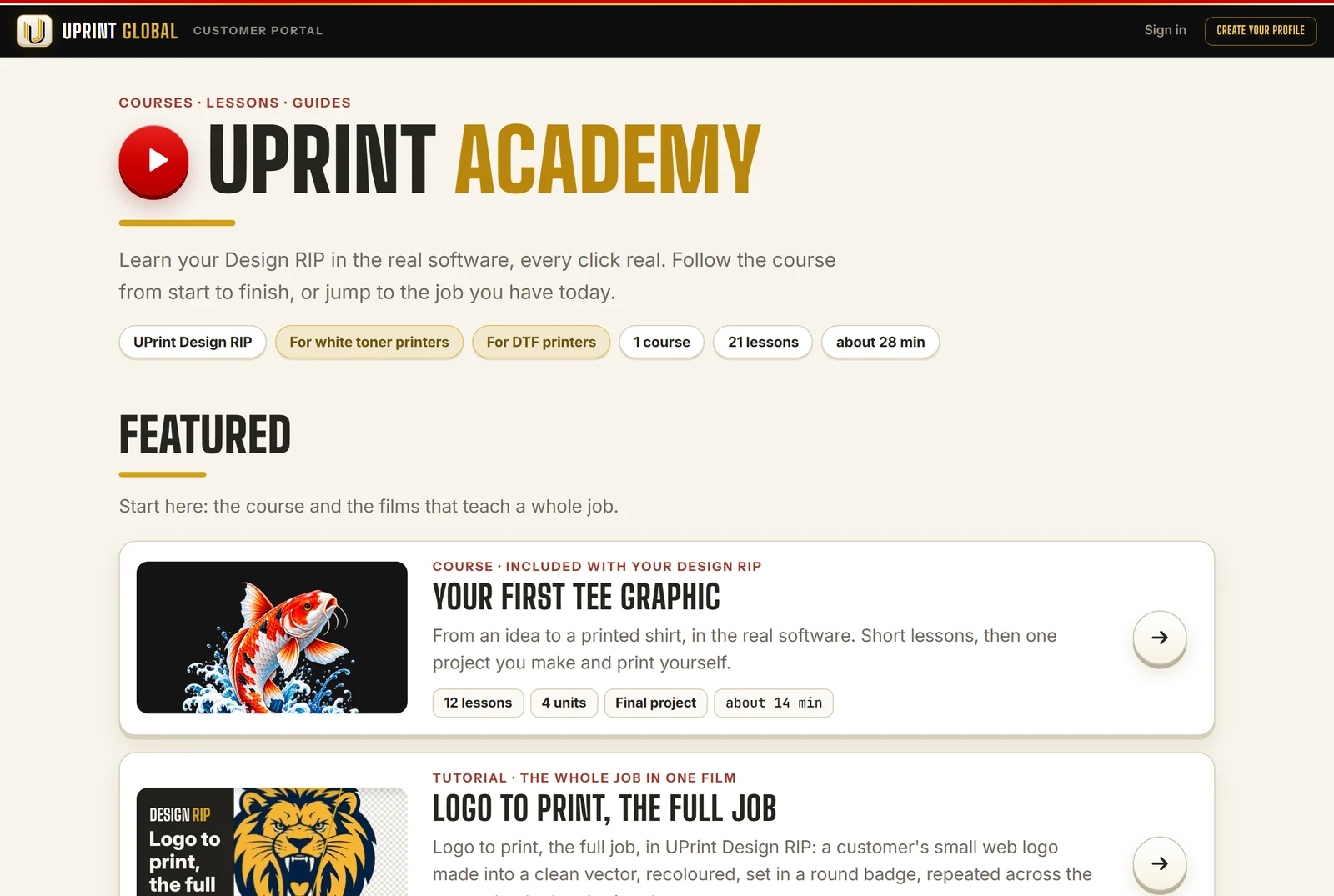
Short lessons, filmed in the real software. A step-by-step guide with a real picture for every click. And a course that takes you from an idea to a printed shirt.
No card. On day 8 the app locks until you buy.
What is inside
No extra cost. It comes with the software.
A course
From an idea to a printed shirt: 12 short lessons, then one project you make yourself.
See it
Every step, every button
Under the course lessons: a real picture of the app for each click, the button ringed.
See it
Your printer
White toner or DTF: the Academy shows the lessons for the printer you run.
See it
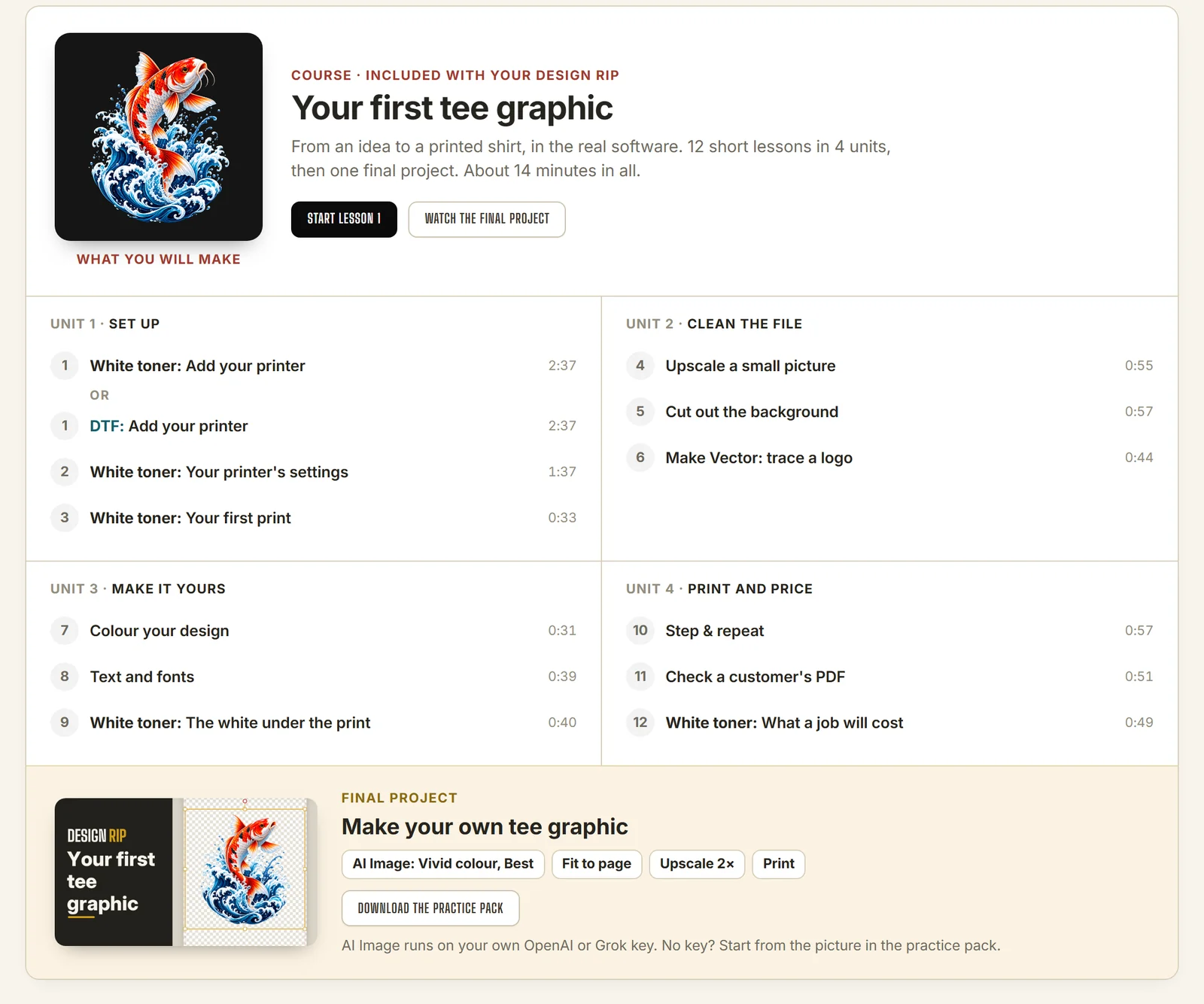
Your first tee graphic
- 112 short lessons in 4 units: set up, clean the file, make it yours, print and price.
- 2Then one final project: make your own tee graphic and print it.
- 3About 14 minutes of film in all. Stop it, and do each step in the app beside it.
- 4Download the practice pack, so you work with the same picture as the film.
The final project uses AI Image, which runs on your own OpenAI or Grok key. No key? Start from the picture in the practice pack.
Print straight from UPrint to your DTF, sublimation or white toner printer.
Every step, every button
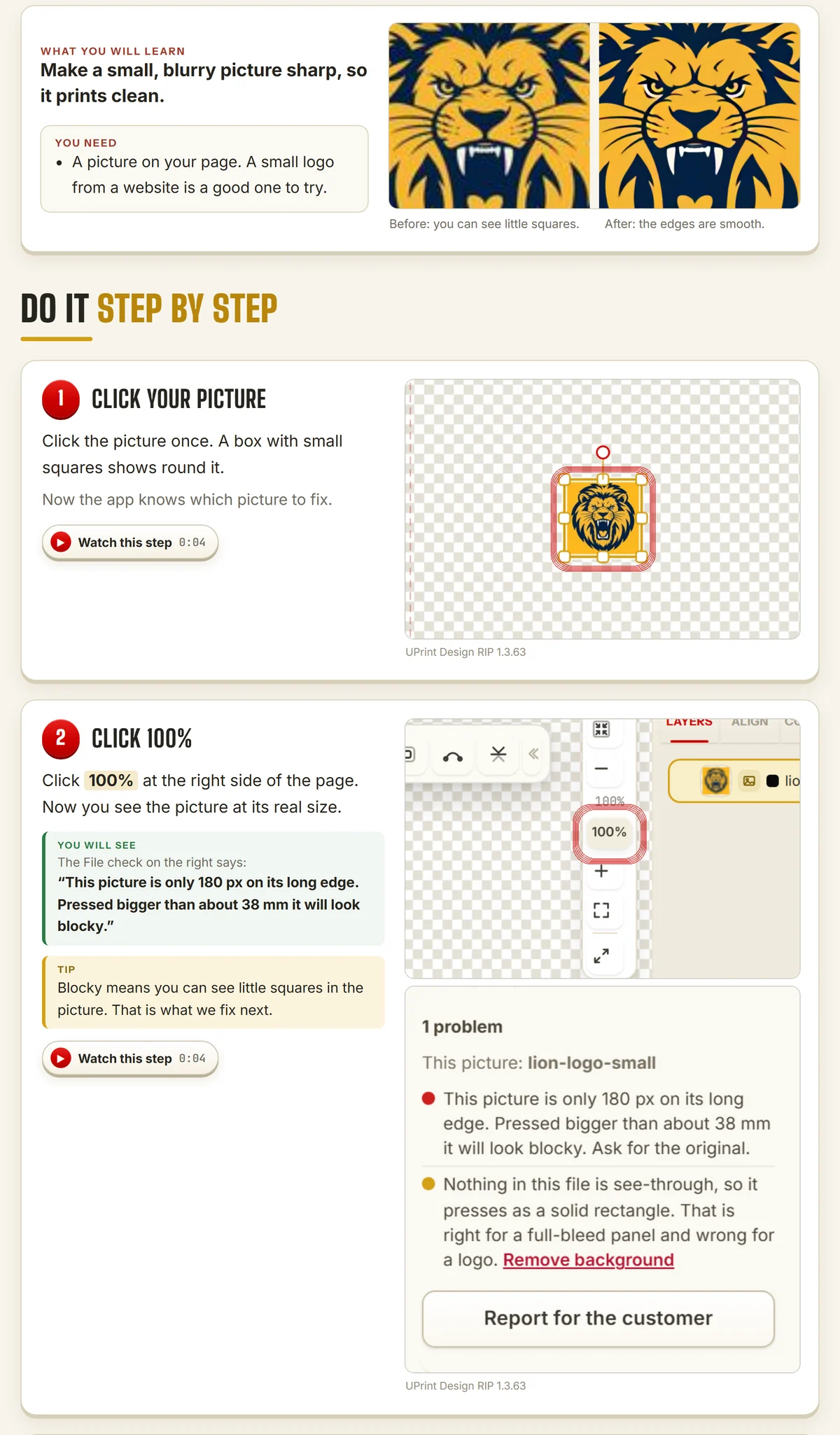
- 1First: what you will learn, and what you need.
- 2Then one step at a time, with a real picture of the app. The button to click has a red ring.
- 3You will see: the app's own words, so you know the step worked.
- 4Watch this step jumps the film to that moment.
- 5At the end: Did it work? and Now you try.
Your printer, your lessons
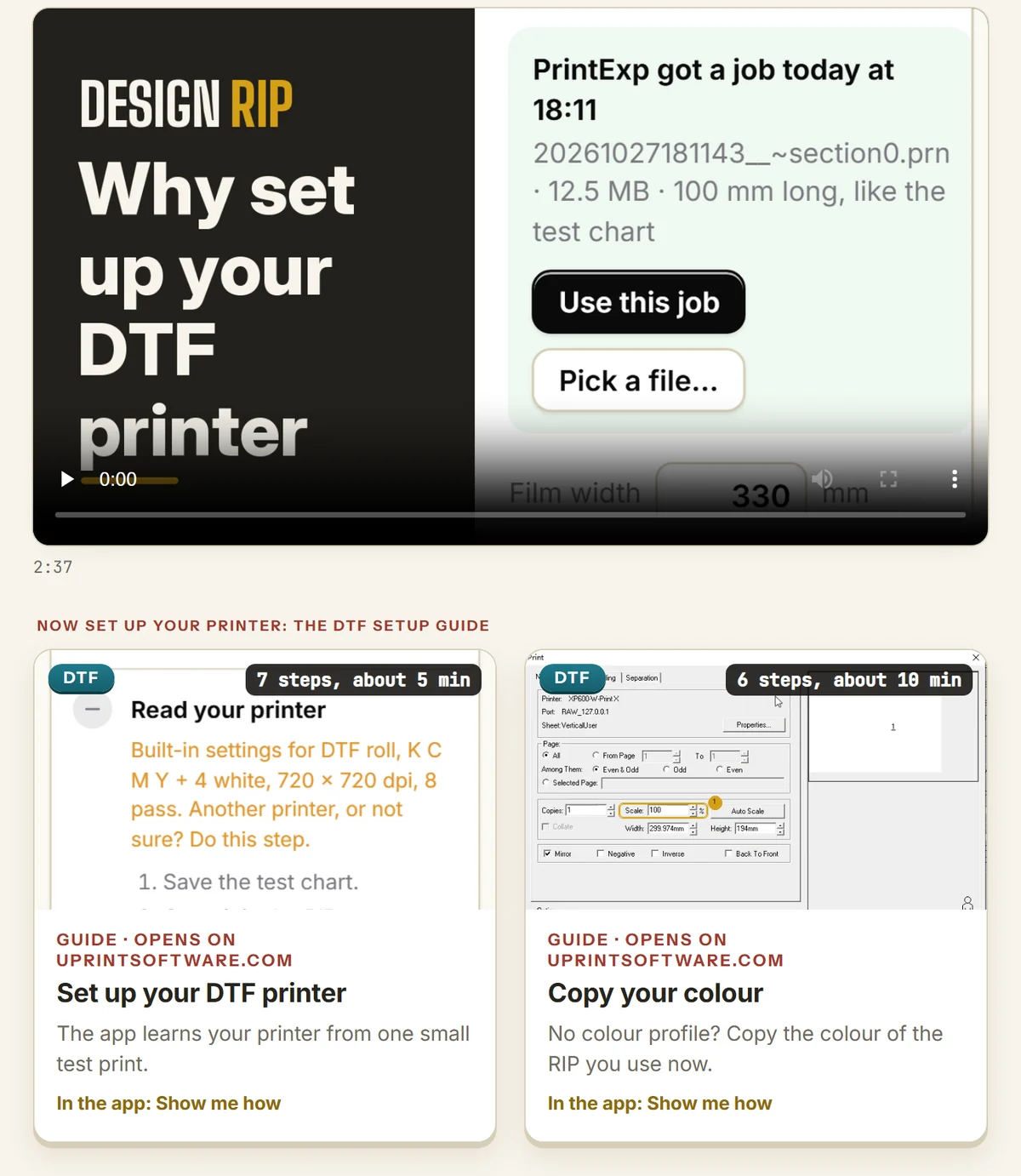
- 1Design RIP asks for your printer when it starts: white toner, DTF, or both.
- 2Your Academy shows the lessons for that printer.
- 3A DTF printer? The DTF setup guide sits right under its film: set up your printer, then copy your colour.
- 4Studio RIP has its own lessons too.
Where you find it
- 1In the app, press Training at the top right.
- 2Your own Academy page opens in your browser. No sign-in.
- 3It works for the whole 7-day trial, and for as long as your licence runs.
- 4Bought a licence? It is also in your customer portal, under UPrint Academy.
Try it on your own printer
7 day free trial, no card. Every tool, on your own computer. Download Design RIP or Studio RIP. Design RIP asks when it starts: pick DTF printer or White toner printer.
Download the free trialOn day 8 the app locks until you buy. Pay with the same email and it unlocks by itself. One free trial per computer and per email.