Printers · White toner

RIP software for white toner printers

For print shops with OKI white toner printers, old or new.

Free trial · 7 days · no card

Try it on your white toner printer

Made by UPrint Global, trusted in 38 countries since 2008.

Design RIPWindowsMac
Studio RIPWindowsMac

No card. On day 8 the app locks until you buy. Nothing is charged.

Design RIP from $34.99 a month, Studio RIP from $19.99 a month, plus tax. Try it 7 days first.

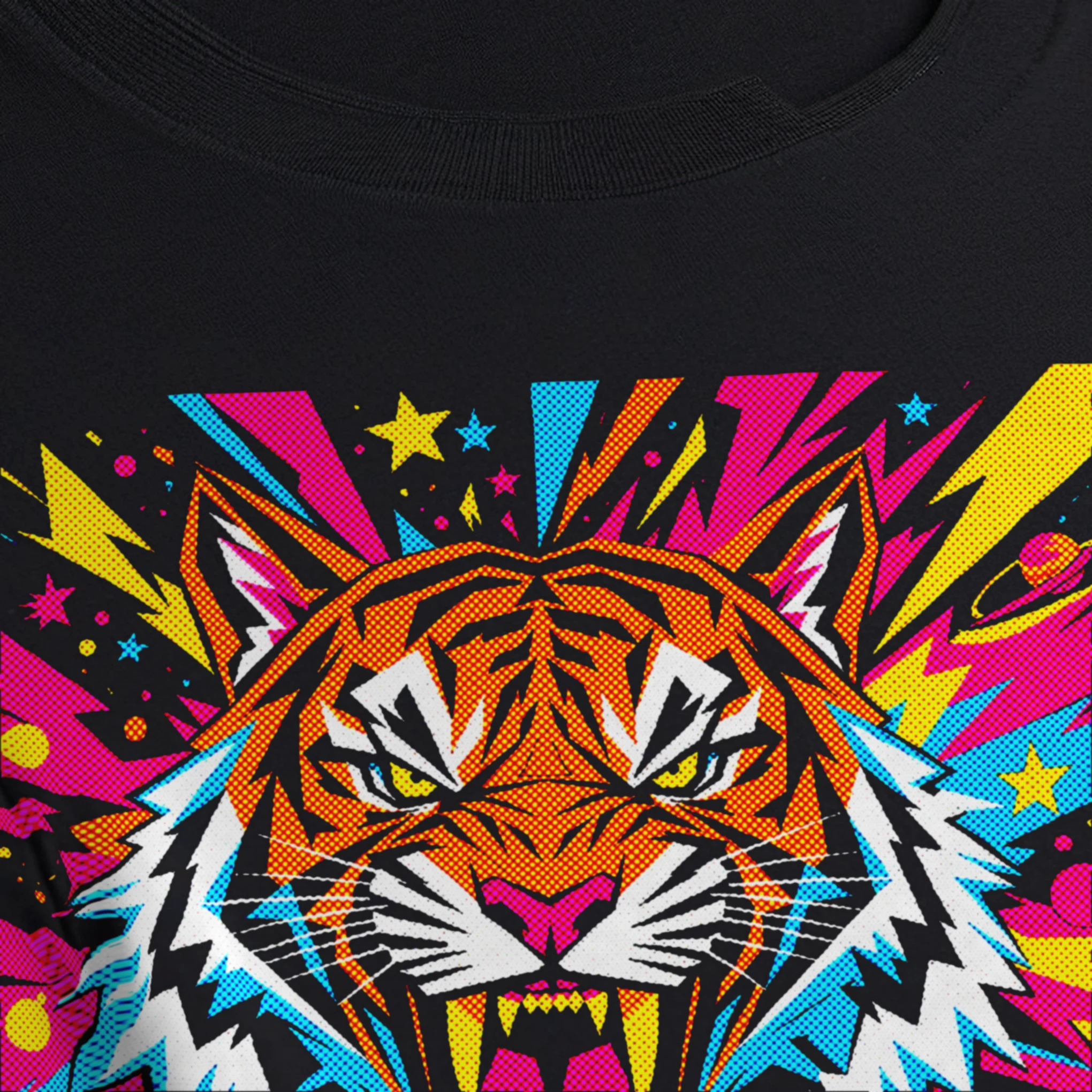
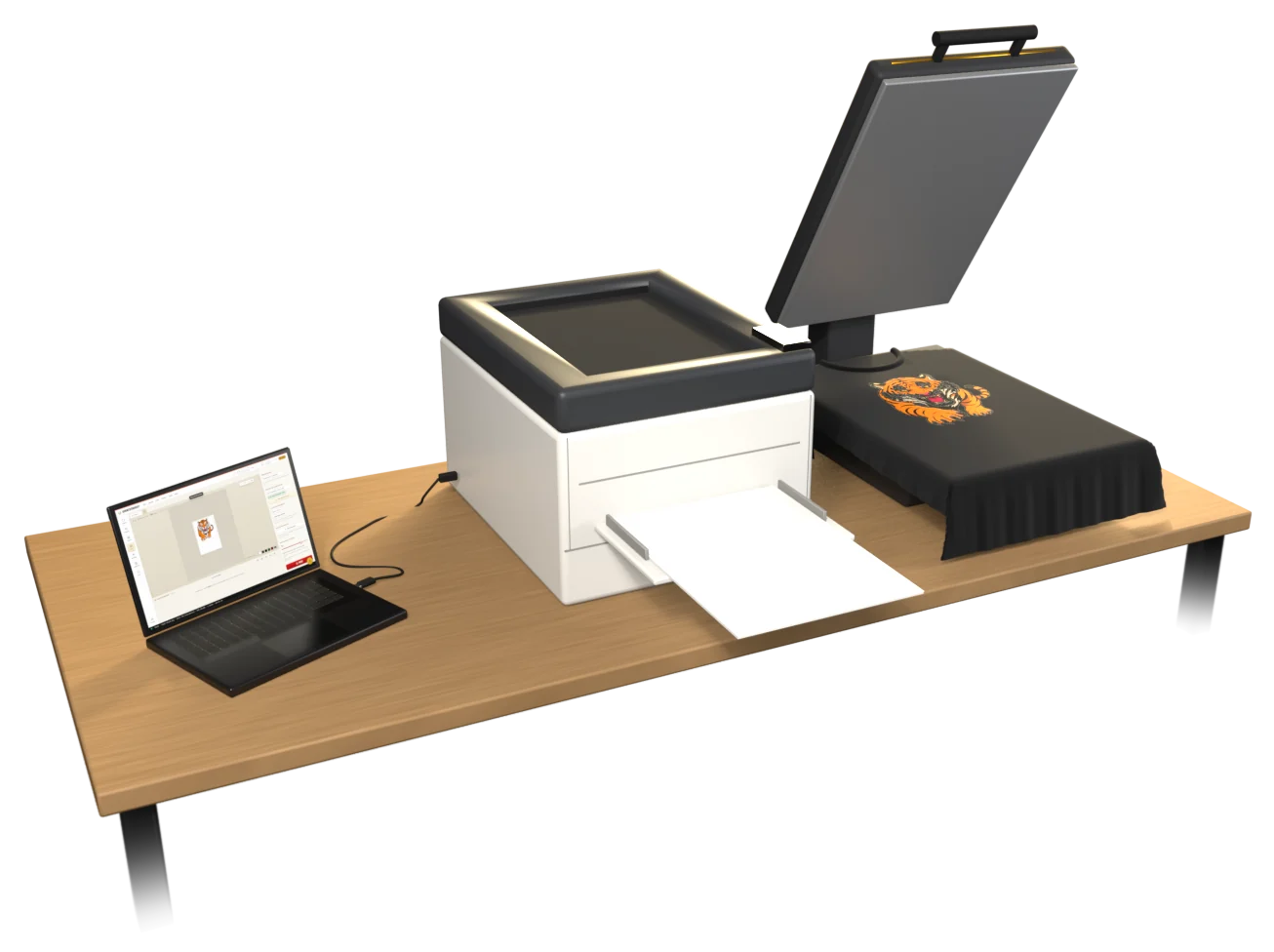
A white toner station: a laptop running UPrint Studio RIP with a tiger on an A3 page, a USB cable to an OKI white toner printer, the printed sheet on a heat press over a black T-shirt, and the same tiger on the shirt.

Studio RIP and Design RIP

White toner

  • OKI Pro8432WT
  • OKI C711WT
  • Converted OKI C711, C712, C833

Old machines are fine. Shops run them every day.

  • Measured colourPro Colour, measured on the press itself.
  • AI · Studio RIP and Design RIPAI upscaleSmall, blurry logo? Make it sharp enough to print.
  • Your own ICC profileAdd your own printer profile with one button.
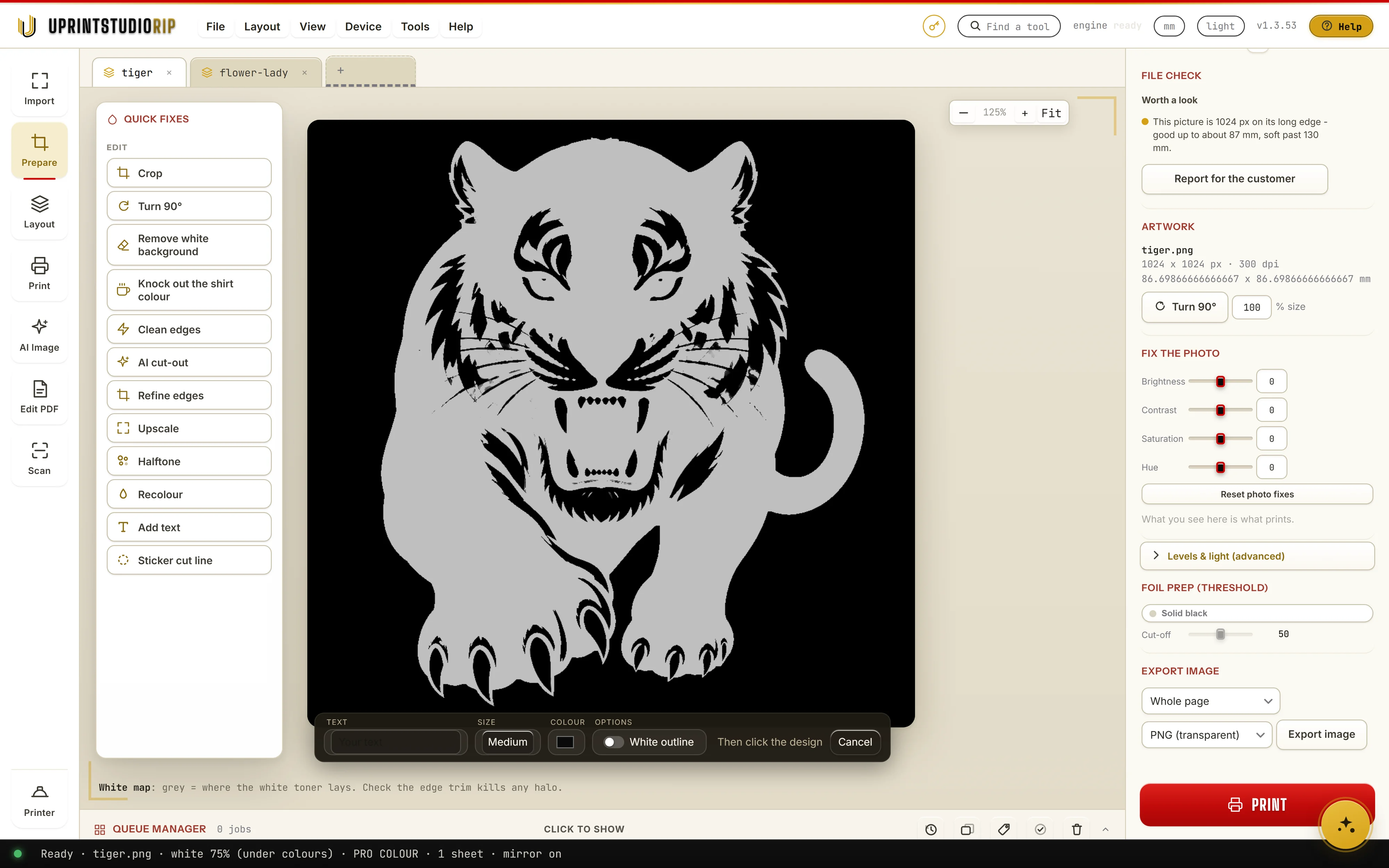
  • White mapSee where the white prints, job by job.
  • AI · Studio RIP and Design RIPAI background removerOne click lifts the design off its background.
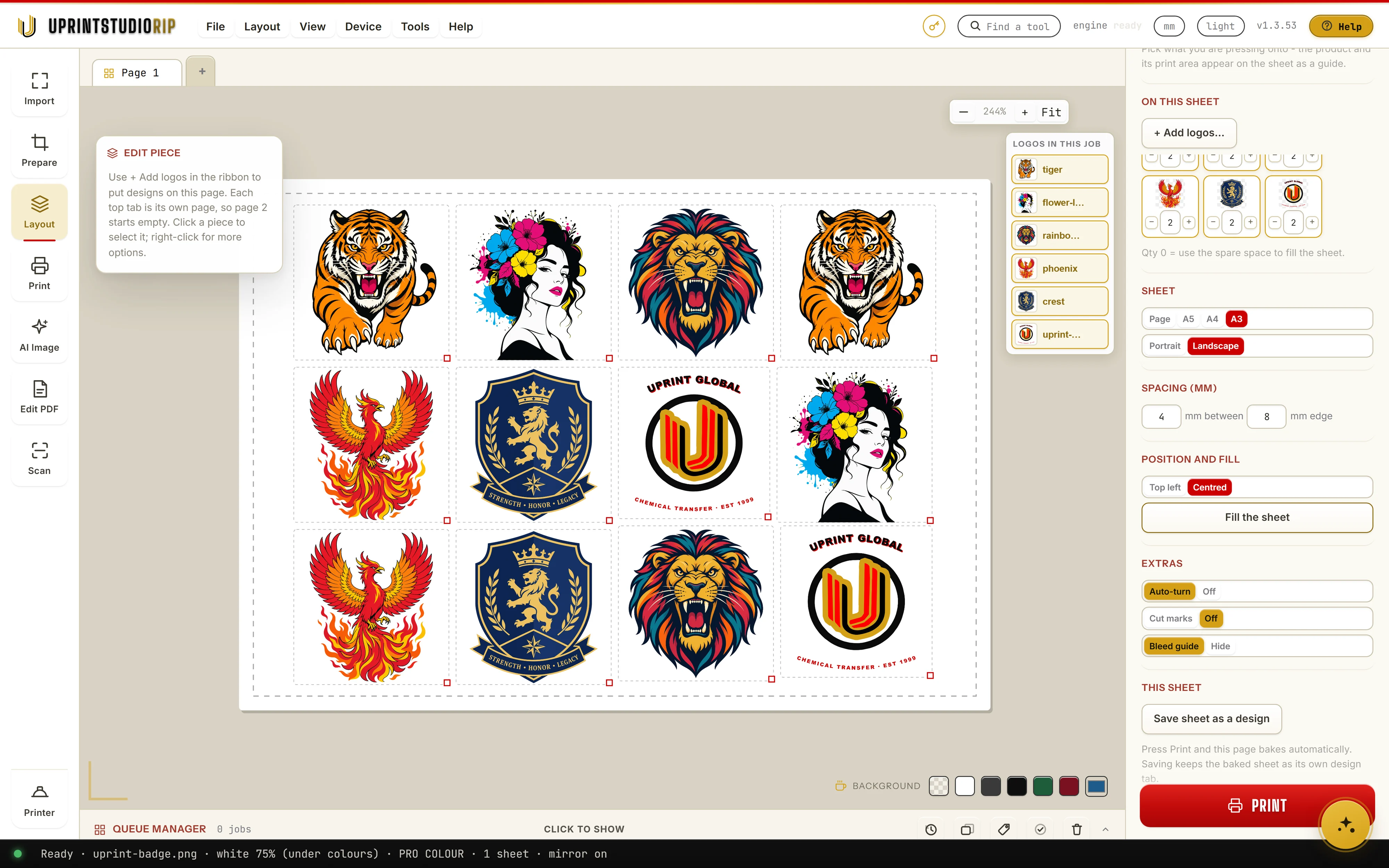
  • Gang sheetsMany designs on one sheet, as many as fit.
  • Cost per jobToner, parts and paper, priced for every job.
  • AI · Studio RIP and Design RIPAI image generationType what you want. Get art you can print.
  • Job historyEvery job, what it used and what it cost.
  • Design RIPTrace to vectorTurn a picture into clean shapes you can edit.
  • HalftoneSix styles, Palette included. The white goes down in dots too.

Tap any branch to see it in the app.

Free trial · 7 days · no card

Try it on your white toner printer

Design RIP

Studio RIP

In Design RIP, pick White toner on the start card. Studio RIP is ready for white toner as it is.

Install it, type your name and email, and your 7 days begin. One free trial per computer and per email.

White toner · up close

In the real app

Real app screens, zooming in on the control you use.

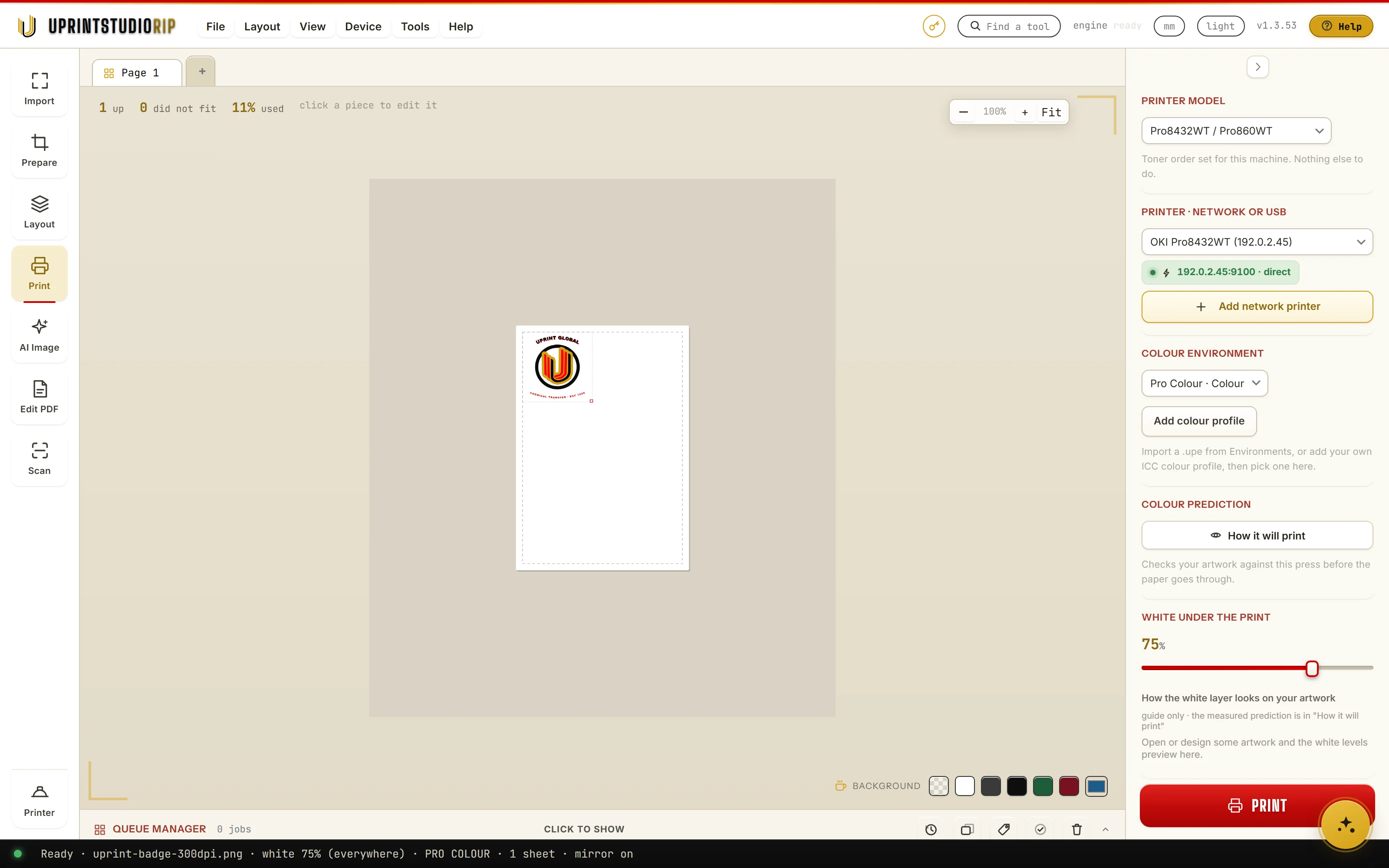
Measured colour: Colour environment in UPrint Studio RIP
01White toner

Measured colour

Every printer on the list gets a Pro Colour environment, measured on that press. Pick it, and UPrint drives the toner with real measurements, not guesses.

Why it matters

Colour that is right the first time means fewer test prints and less wasted transfer paper.

How it works

  1. 1Pick your printer in the Print pane.
  2. 2Choose its Pro Colour environment under Colour environment.
  3. 3Print. UPrint uses that press's own measurements for every colour.

In the app: Colour environment
AI upscale: Upscale in UPrint Design RIP

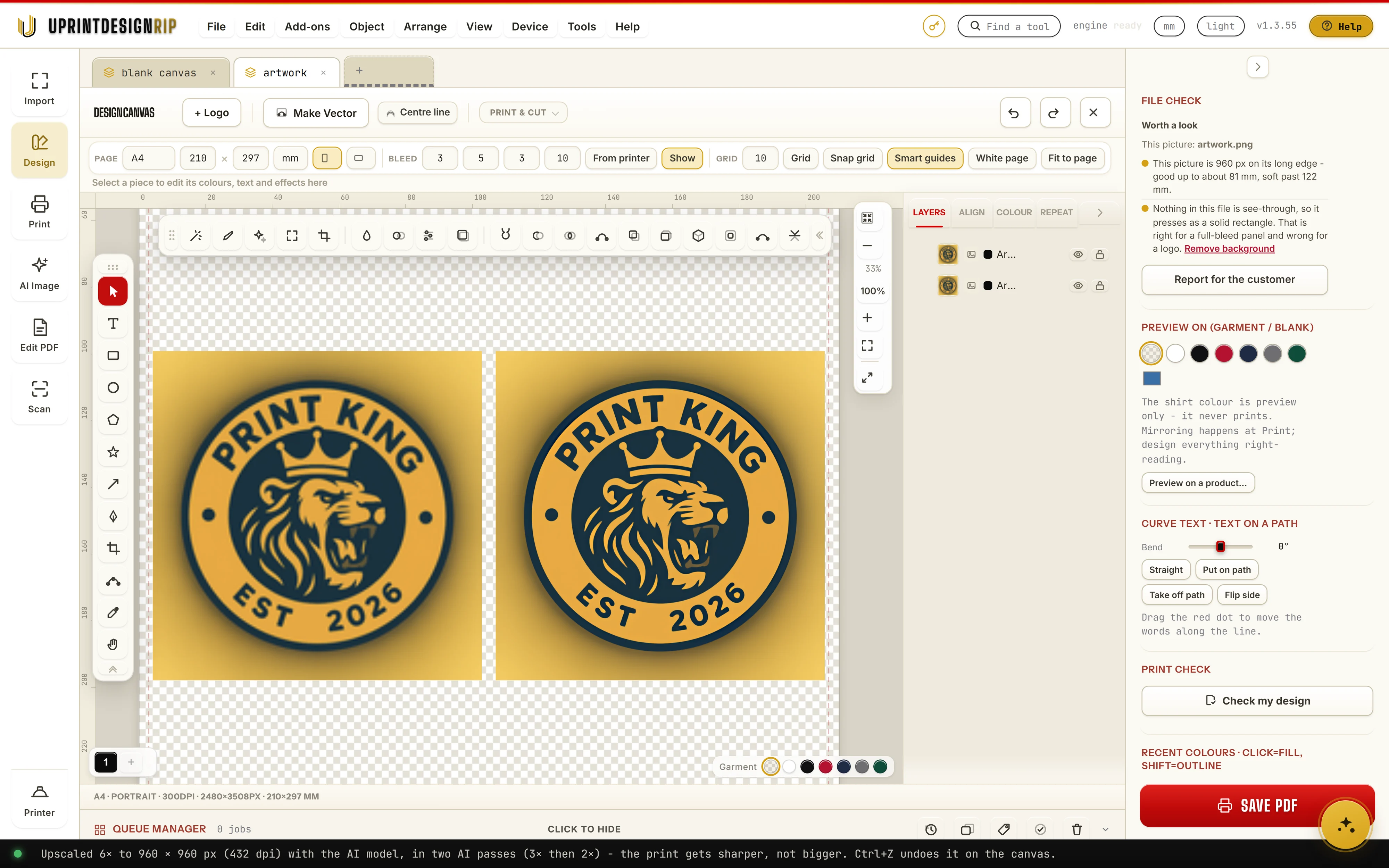
Left, a 160 px logo. Right, the same logo after Upscale 6x.

02White toner
AI · Studio RIP and Design RIP

AI upscale

A logo saved off a website or a phone is often too small to print well. Upscale makes it 2, 3, 4 or 6 times bigger with our own AI model, on your own PC, so the edges come out sharp.

Why it matters

Customers send tiny logos every day. Fix them in seconds instead of redrawing them or turning the job away.

How it works

  1. 1Select the picture and press Upscale (in Studio RIP: Upscale in Prepare).
  2. 2Pick 2x, 3x, 4x or 6x. The bar shows the new size in pixels.
  3. 3Press Upscale. The print gets sharper, not bigger.

In the app: Upscale

Your own ICC profile: Add colour profile in UPrint Studio RIP
03White toner

Your own ICC profile

Have a CMYK printer profile you trust? Add it with one button. It shows in the list under Your colour profiles, ready for every job.

Why it matters

Keep the profile you or your supplier already made for your toner and paper, instead of starting again.

How it works

  1. 1Press Add colour profile under Colour environment.
  2. 2Pick your .icc or .icm file (a CMYK printer profile).
  3. 3It shows under Your colour profiles. Pick it for any job.

In the app: Add colour profile

White map: White map in UPrint Studio RIP
04White toner

White map

See exactly where the white toner will print before anything goes to the printer, and set it job by job.

Why it matters

White toner is the expensive one. Seeing it first means no surprise white round the design, and no white where the shirt should show through.

How it works

  1. 1Open the artwork in Prepare.
  2. 2Choose Preview as, White map: grey is where the white toner lays.
  3. 3In Print, set how much white and where it goes: everywhere, or under the colours only.

In the app: White map

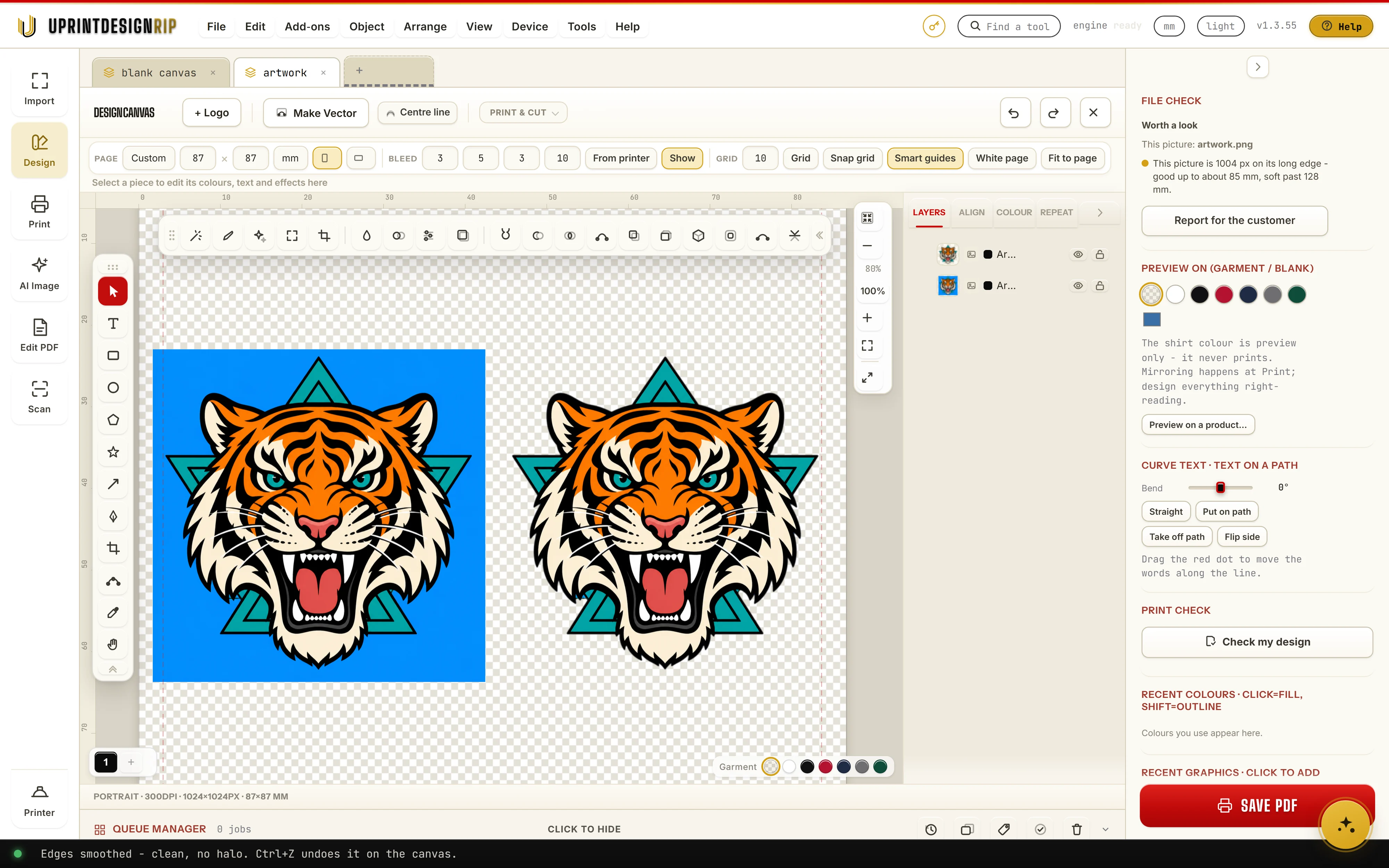
AI background remover: Auto cut-out in UPrint Design RIP

Left, the design on its blue background. Right, after Auto cut-out.

05White toner
AI · Studio RIP and Design RIP

AI background remover

Press Auto cut-out and the AI finds the edge of the design and takes the background away, on your own PC. Only the design prints, with no box round it.

Why it matters

No coloured box round the design on the shirt, and no hour of cutting it out by hand in another program.

How it works

  1. 1Select the picture and press Remove background (in Studio RIP: AI cut-out in Prepare).
  2. 2Press Auto cut-out. The background is gone.
  3. 3Fix any edge by hand with Refine cut-out: Keep and Remove brushes.

In the app: Auto cut-out

Gang sheets: Fill the sheet in UPrint Studio RIP
06White toner

Gang sheets

Put many different designs on one sheet, or fill the spare space with copies. Less paper wasted on every run.

Why it matters

Transfer paper is the expensive part. A full sheet means more transfers for the same paper.

How it works

  1. 1In Layout, press + Add logos and pick your designs.
  2. 2Set how many of each, or Qty 0 to use the spare space.
  3. 3Press Fill the sheet. UPrint packs them with the spacing you set.

In the app: Fill the sheet

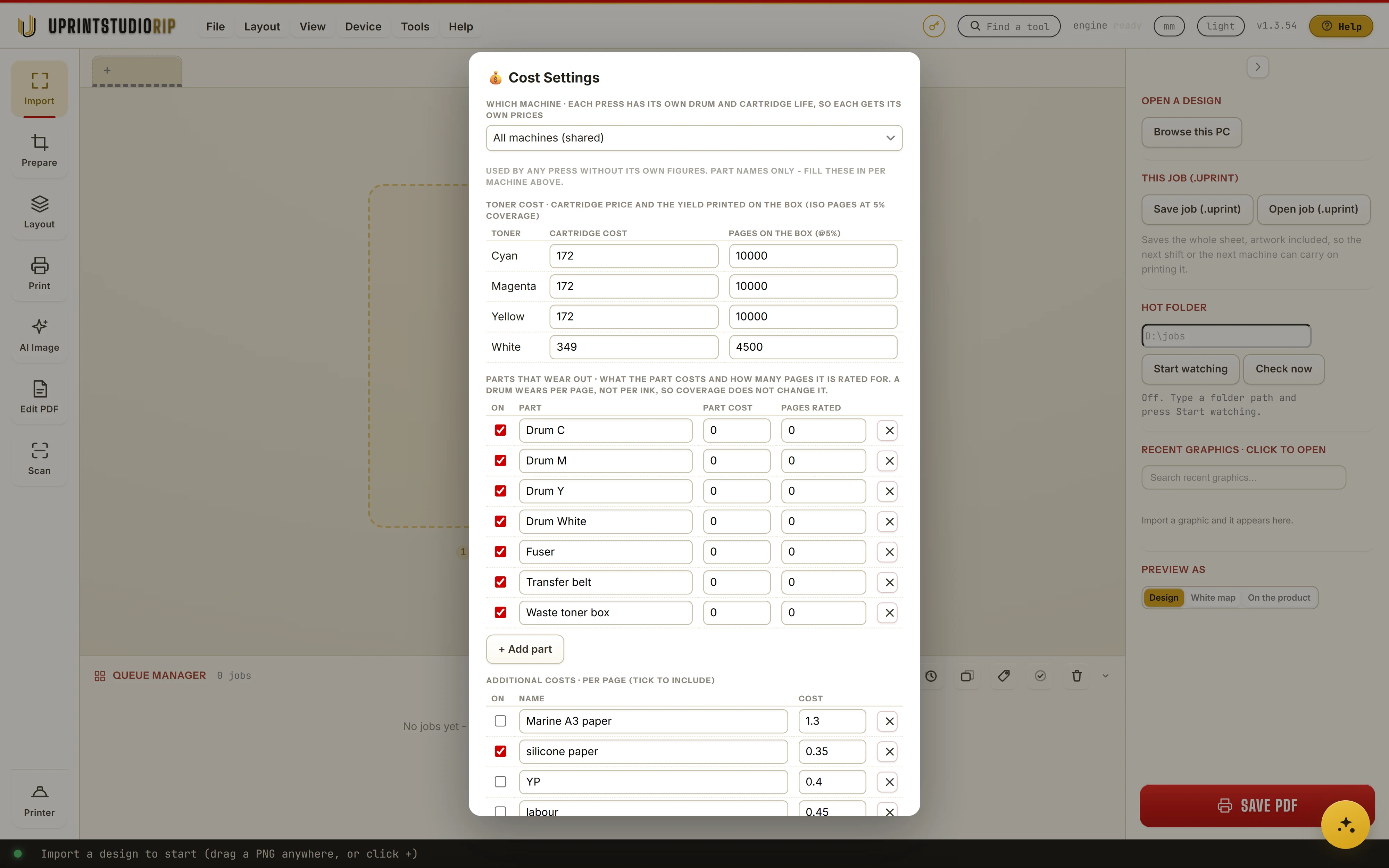
Cost per job: Cost settings in UPrint Studio RIP
07White toner

Cost per job

Type your toner, parts and paper prices once. From then on every job shows what it cost.

Why it matters

Know your real cost per transfer before you quote, so every job makes money.

How it works

  1. 1Open Cost settings and type each cartridge price and the pages on the box.
  2. 2Add the parts that wear out, and extras per page such as paper and labour.
  3. 3Every job then shows its cost in the queue and in Job history.

In the app: Cost settings

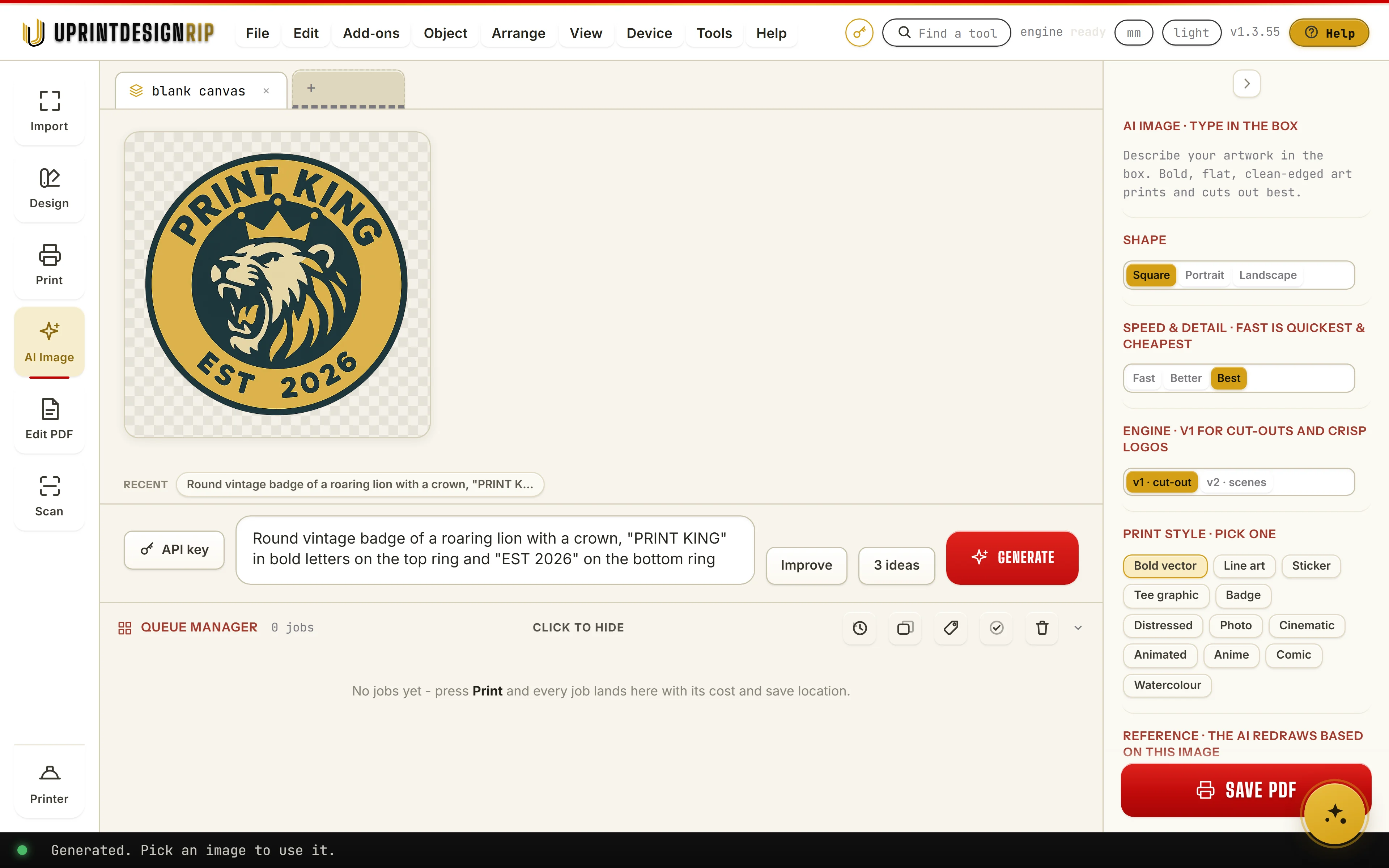
AI image generation: Generate in UPrint Design RIP

Made in the app: v1, Best, Bold vector.

08White toner
AI · Studio RIP and Design RIP

AI image generation

Describe the design, pick a print style such as Bold vector, and press Generate. The art lands in the app, ready to cut out, trace or print. It runs on your own OpenAI or Grok key: on OpenAI from about 1 US cent (Fast) to 17 US cents (Best) an image, paid to them, not to us.

Why it matters

A customer with no artwork is still a sale. Make the design with them, there and then.

How it works

  1. 1Open AI Image and type what you want in the box.
  2. 2Pick a print style, such as Bold vector, and Fast, Better or Best.
  3. 3Press Generate, then pick the picture to use it.

In the app: Generate

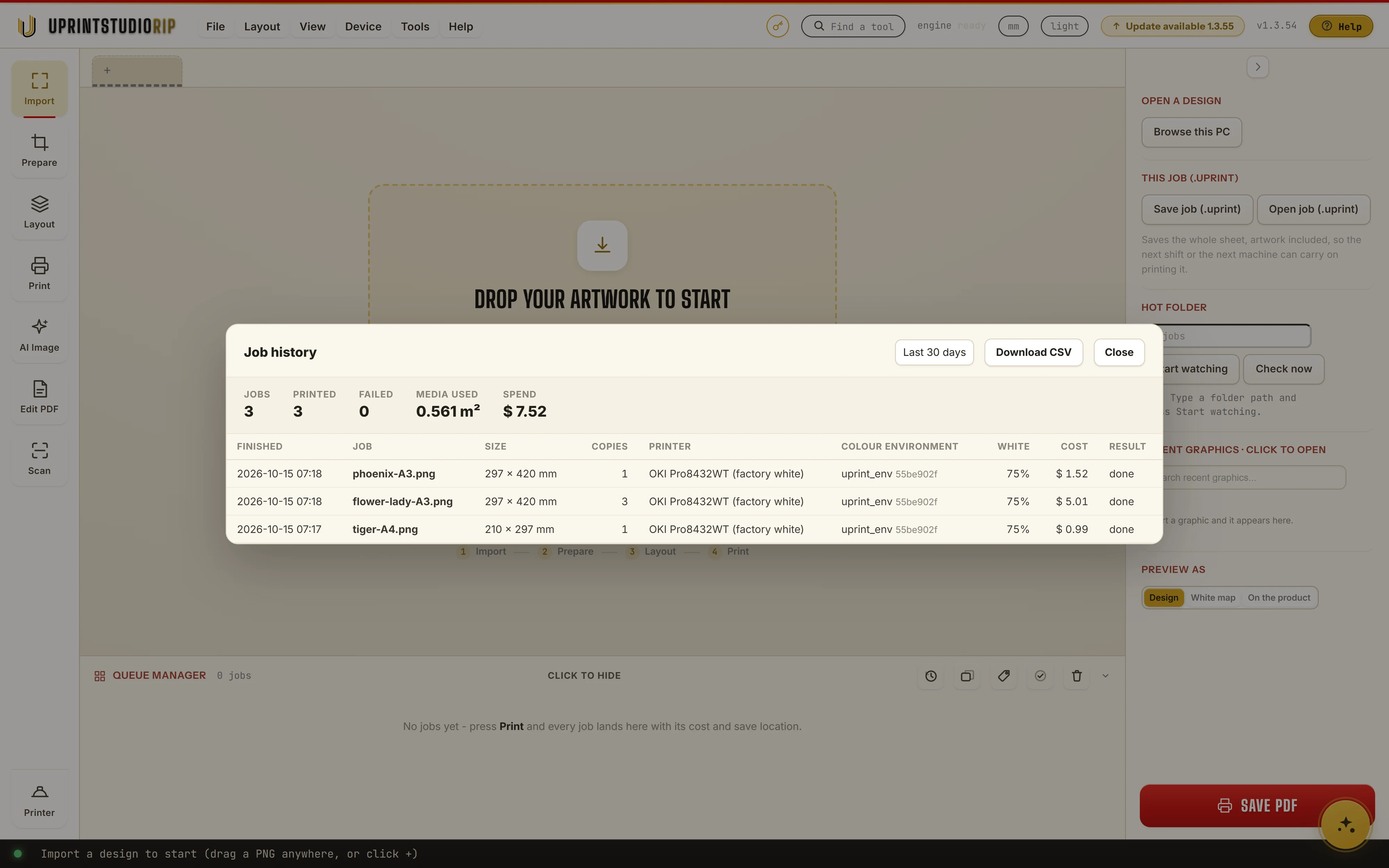
Job history: Job history in UPrint Studio RIP
09White toner

Job history

Every job is kept: what printed, what failed, the media used and the spend.

Why it matters

See what you printed and what it cost on any day, without keeping a book.

How it works

  1. 1Open Job history from the queue.
  2. 2Pick Today or Everything. Jobs, printed, failed, media used and spend add up at the top.
  3. 3Press Download CSV for your accounts.

In the app: Job history

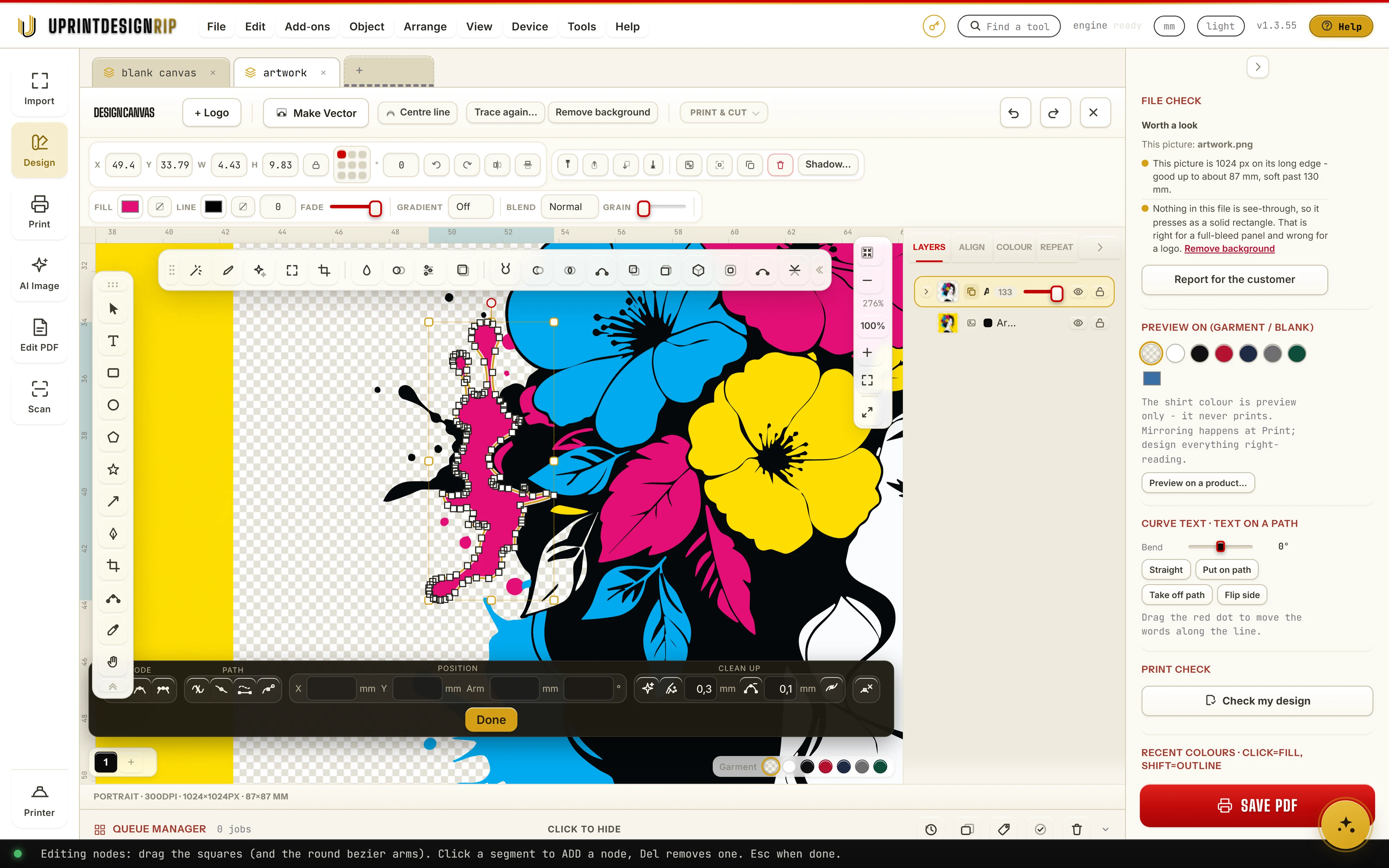
Trace to vector: Make Vector in UPrint Design RIP

A traced piece open in the node editor: every square is a node you can drag.

10White toner
Design RIP

Trace to vector

Press Make Vector and UPrint traces the picture into vector shapes you can edit, make any size and cut. You see the trace before you use it, and how much of the fine detail it kept.

Why it matters

Vectors print crisp at any size and can go to a cutter. No paying a designer to redraw a logo.

How it works

  1. 1Select the picture and press Make Vector.
  2. 2Pick Line art, Classic or Sharp, and knock out the paper behind it if you want.
  3. 3Compare in Slide, Side by side or Outline, then press Use this trace.

In the app: Make Vector

Halftone: Mockup: the app's real halftone dots on a blank shirtMockup: the app's real halftone dots on a blank shirt
11White toner

Halftone

Six halftone styles and seven dot shapes, Palette included. The white goes down in the same dots, so less toner sits on the shirt.

Why it matters

A bold, vintage or pop-art look from the art you already have, with less toner on the shirt.

How it works

  1. 1Open Halftone: on the Design canvas, or in Prepare in Studio RIP.
  2. 2Pick a style and a dot shape, and set the Detail to choose how big the dots are.
  3. 3Press Apply. The gaps between the dots are real holes, so the shirt shows through.

In the app: Halftone

Jordan, the creator of UPrint Studio RIP and Design RIP

From the founder

Hi, I'm Jordan, the creator of UPrint Studio RIP and Design RIP.

I grew up in my father's print factories from the age of five, and I have worked in print since I was 16. I know the pain print shops feel every day: one program to fix the artwork, another to design, and a RIP to print it.

So I built one app that does it all. You get the artwork ready with AI help (cut-outs, upscaling, vector tracing), design it, and print it to your DTF, white toner or sublimation printer, all in one window. With Design RIP you no longer need CorelDRAW or Illustrator for your everyday print jobs.

Connect with me on LinkedIn and say hi

White toner printers at a glance

  • OKI Pro8432WTWhite toner, A3.
  • OKI C711WTThe same machine as the ES7411WT and the Pro7411WT.
  • OKI C711, C712 and C833Converted machines

Other printers: DTF printers · Sublimation printers · All printers

Your printer not on the list?

Want to add your printer to our software?

Tell us the make and model. We tell you straight whether it works today, and what it would take if it does not.

support@uprintsoftware.com · +27 81 246 0010