
See what every print makes you
Price every job. Count every misprint. Know what to reorder.
Your prices, your costs and your profit, inside the RIP you print from. Every job in the queue shows what it sold for and what it made, and Job history adds it up by day, by month and by customer.
No card. On day 8 the app locks until you buy.
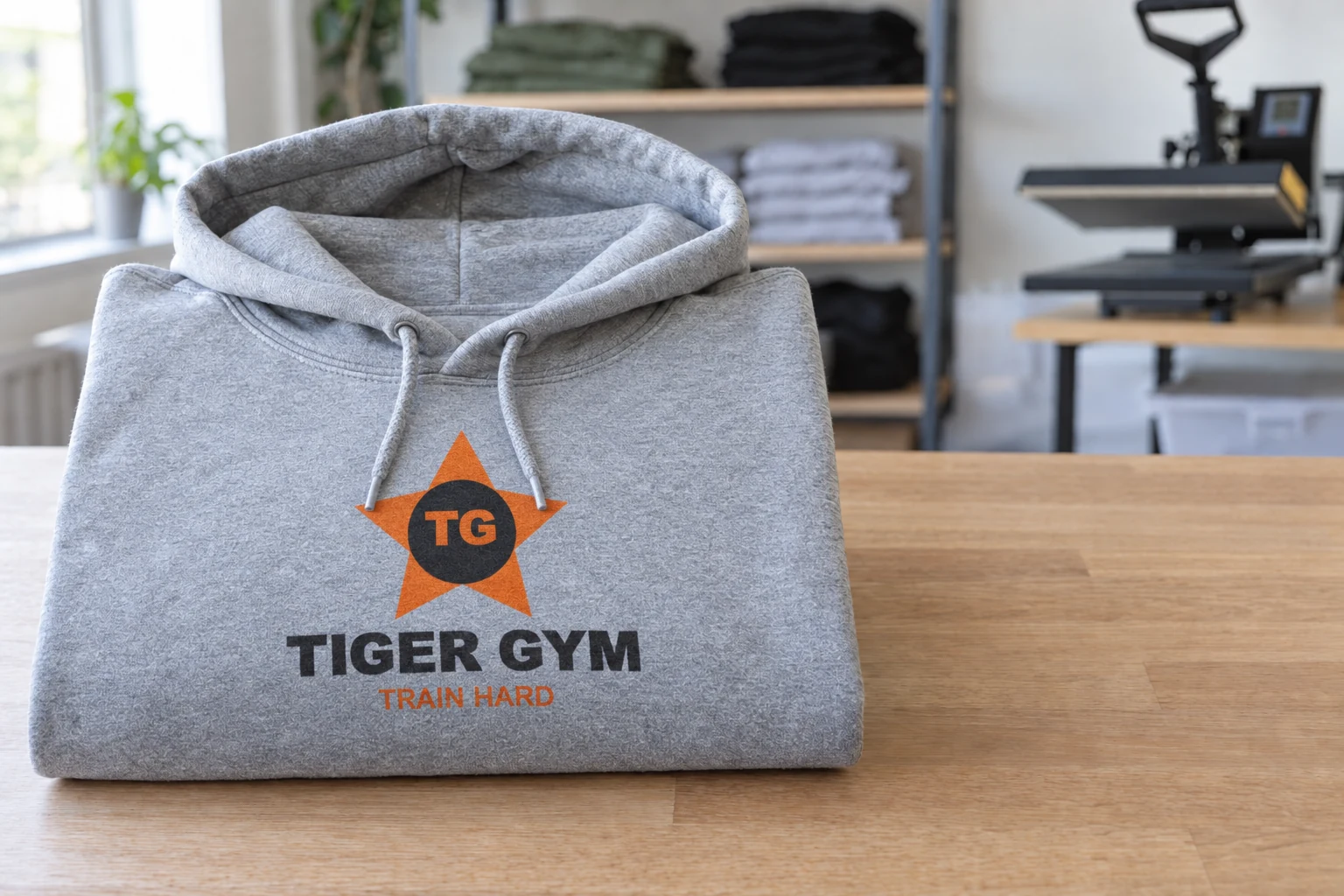


18 hoodies at $7.50: sold $135.00, print cost $10.62, profit $124.38.
The money you do not see
Three questions most print shops answer with a guess.
What did today’s jobs make?
The Today bar shows sales, profit and waste, live, above your queue.
See it
What did misprints cost this month?
Mark a misprint and say why. Its cost counts as waste, by reason.
See it
When does the white run out?
The app counts what is left in each cartridge, and says Low before it runs out.
See it
Profit = your price, less the print, less the blank
Type your prices once. Every job takes the price of its size.
- 1Open Cost settings and type what you charge for one copy of each sheet size.
- 2Add DTF film per metre and the blank (shirt, apron, mug), if you sell it.
- 3A special price for one job? Click its price in the queue and type over it.
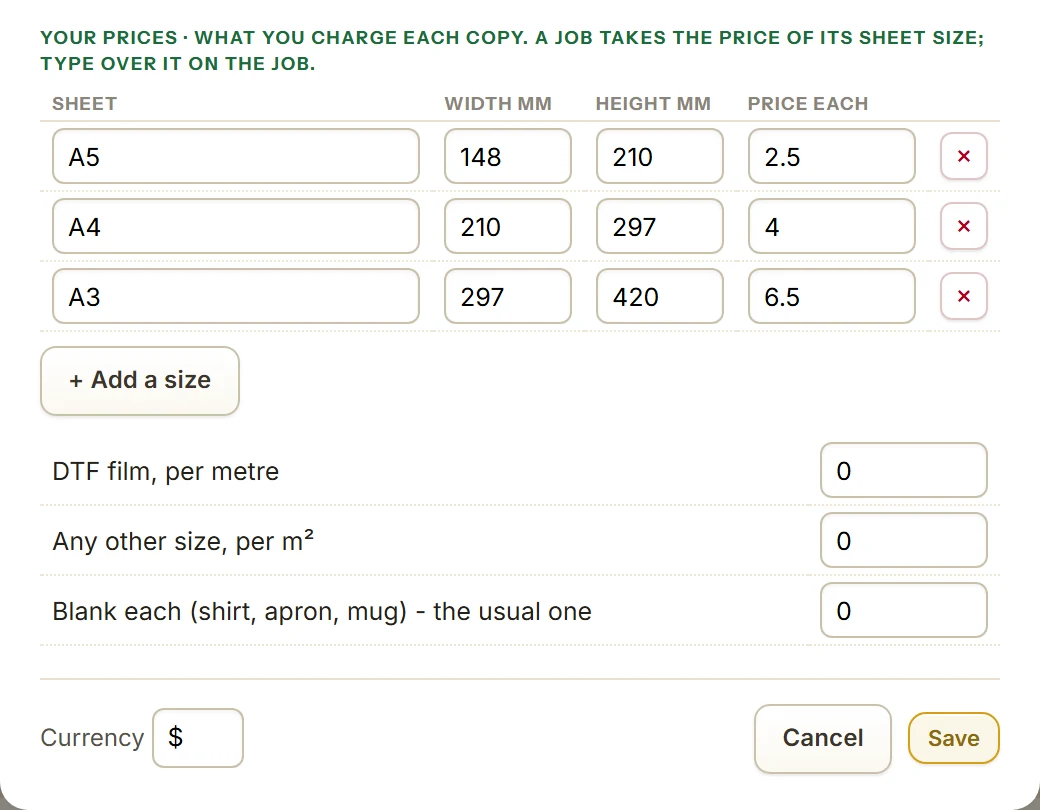
Profit = your price, less the print, less the blank
Example shop: Tiger Gym hoodies, 18 copies at $7.50. The print cost is worked out from the toner and paper prices in Cost settings.
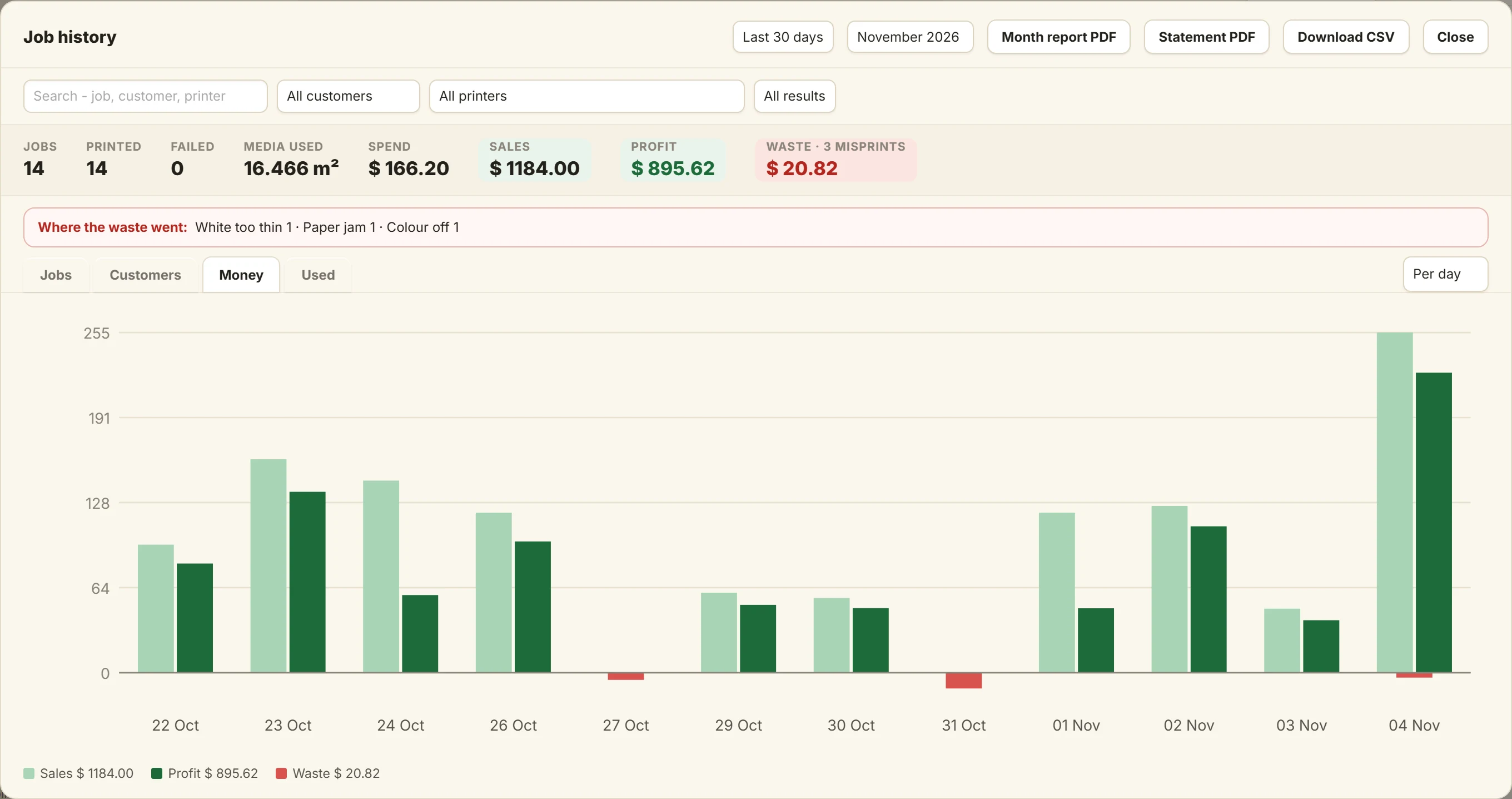
Today, this week, this month
Sales, profit and waste, per day, week or month.
Your best customers, and a statement in one click
Who buys the most, and what each one makes you.
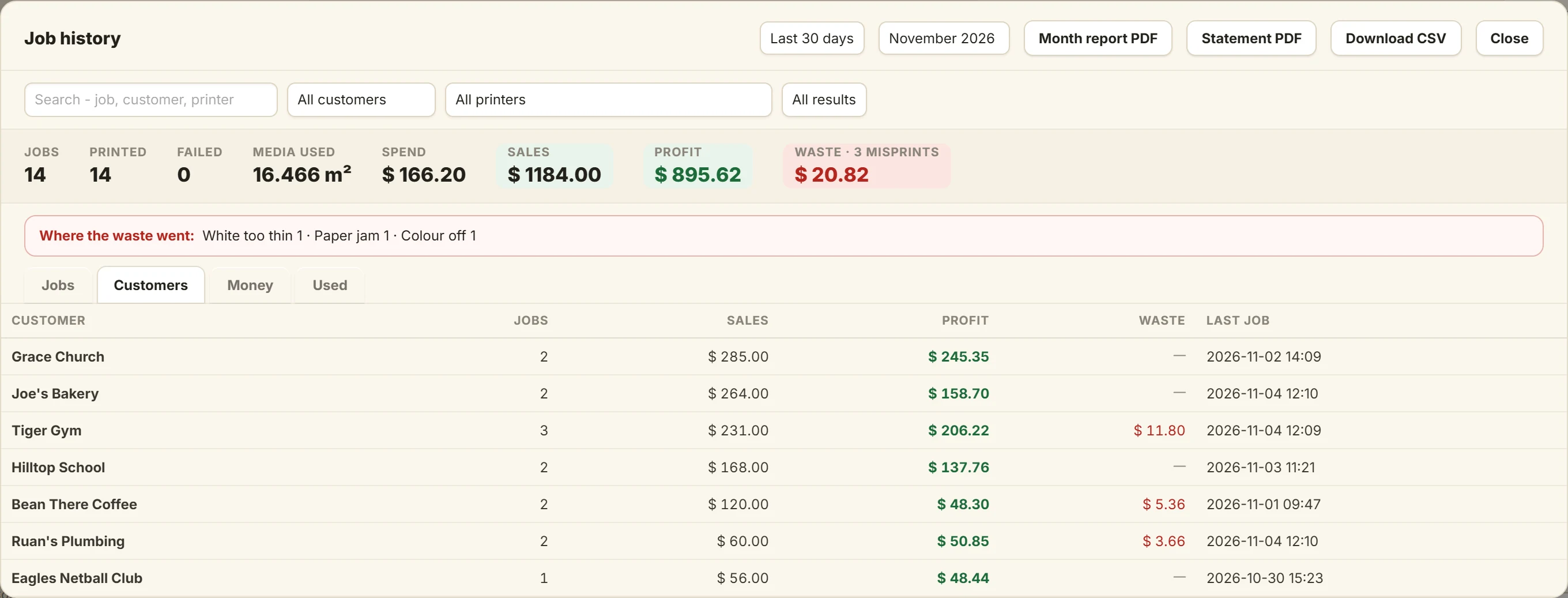
- 1Open Job history from the clock button in the Queue Manager.
- 2The Customers tab lists your best customers first.
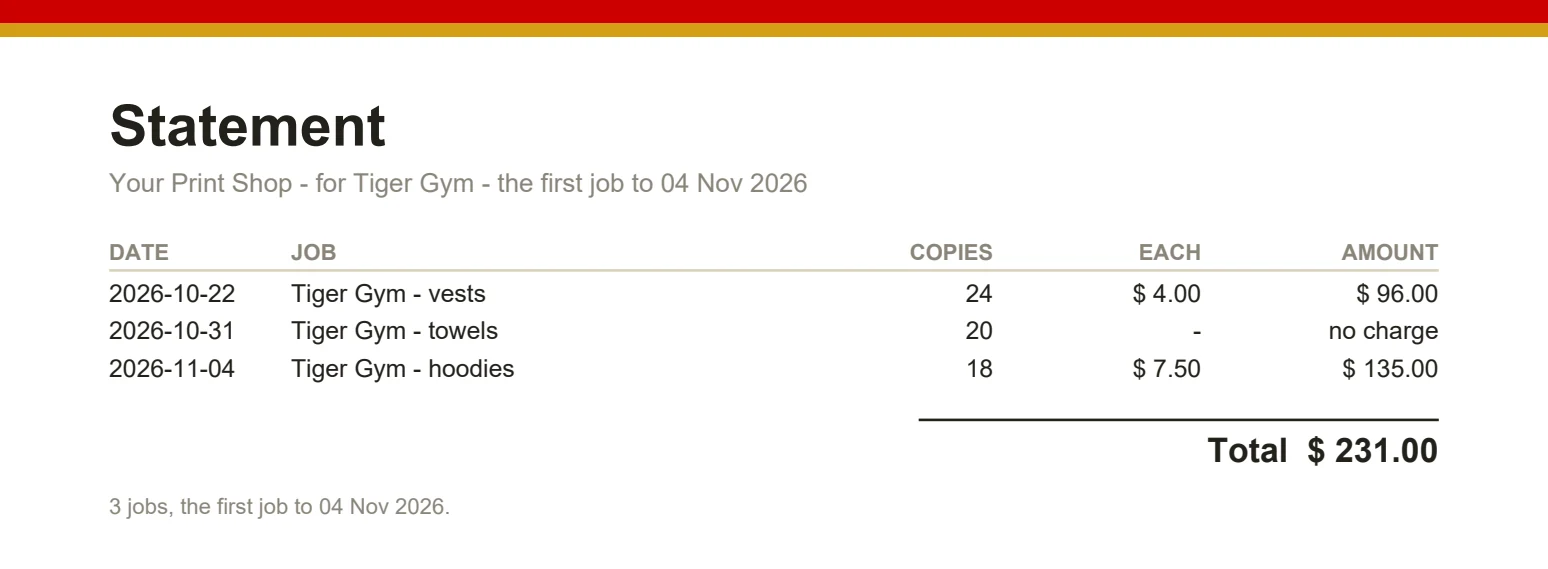
- 3Pick a customer and press Statement PDF: their jobs, each price and the total, ready to send.
Where the waste went
A misprint costs you the print. Now you can see it.
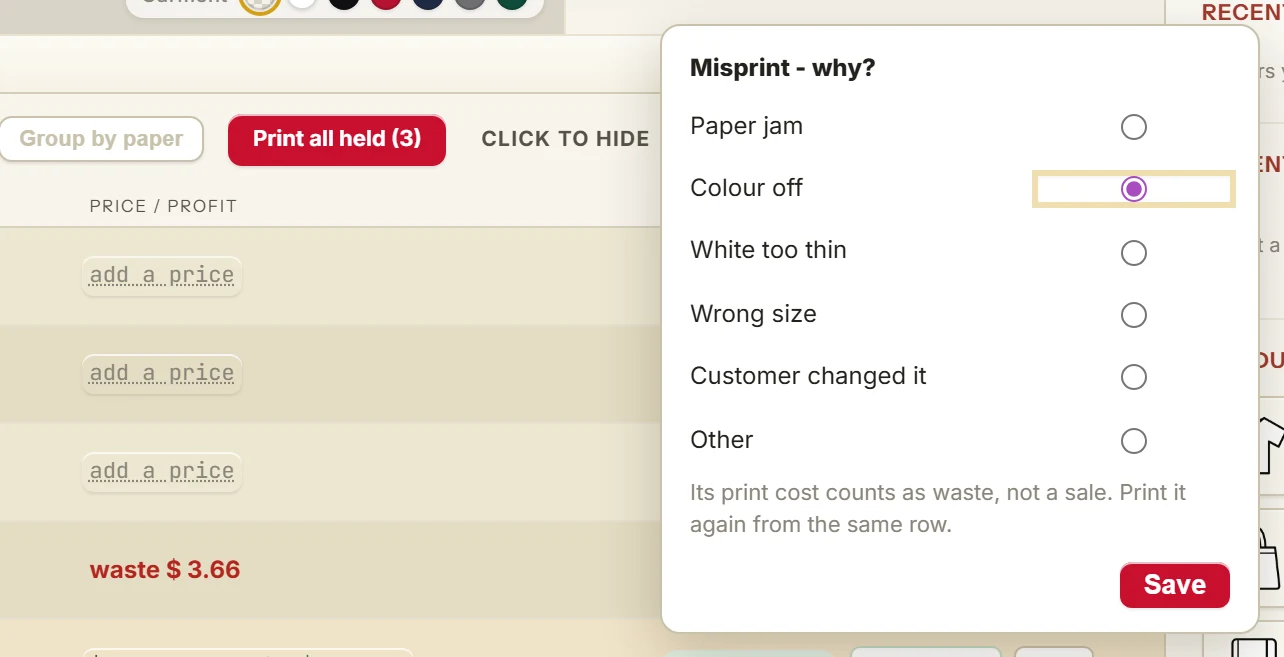
- 1Right-click the job and pick Misprint...
- 2Pick why: paper jam, colour off, white too thin, wrong size, customer changed it, or other.
- 3Its cost counts as waste, not a sale, and Job history shows the waste by reason.
Where the waste went
Example shop: 3 misprints this month, $20.82 in all.
- Paper jam$11.80
- Colour off$5.36
- White too thin$3.66
Never run out mid-job
Toner and paper used, and what is left in each cartridge.
- 1When you put in a new cartridge, press I put in a new cartridge in Job history, Used.
- 2The app counts what is left from every job printed since.
- 3Under a fifth left, the Queue Manager shows Low: and the colour. On a DTF printer it counts ink, film and powder too.
A count from the box's rating and what printed since. The app cannot see inside the printer.
Left since you put it in
Example shop, two weeks after new cartridges.
Low: under a fifth left
Run the day from one list
Print later, group by paper, follow each job to the door.
One job, start to finish
Every stop is a button in the Queue Manager.
- Design
- Print later
- Group by paper
- Pressed
- Packed
- Collected

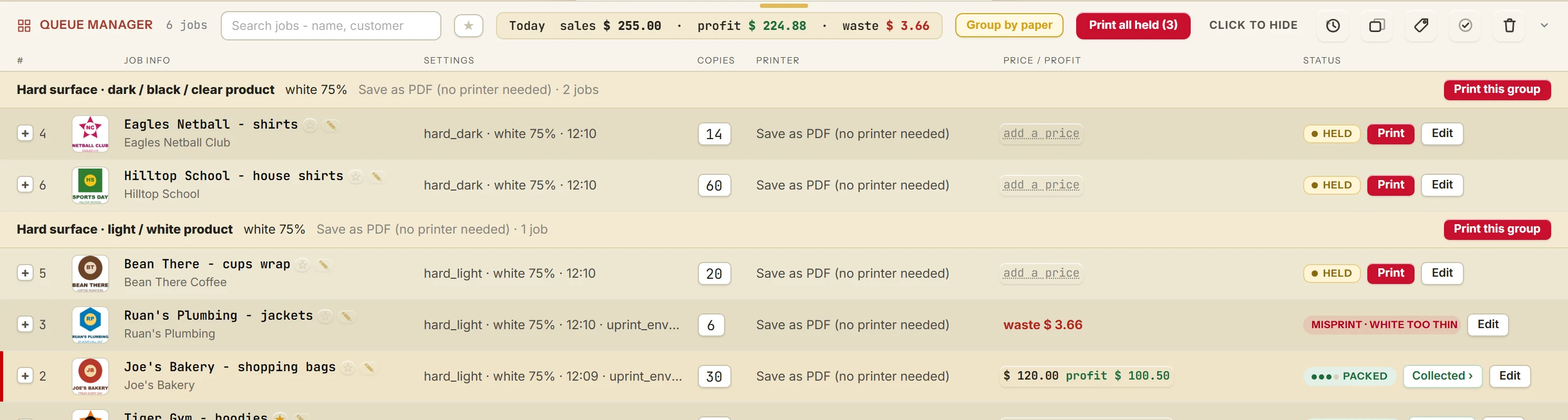
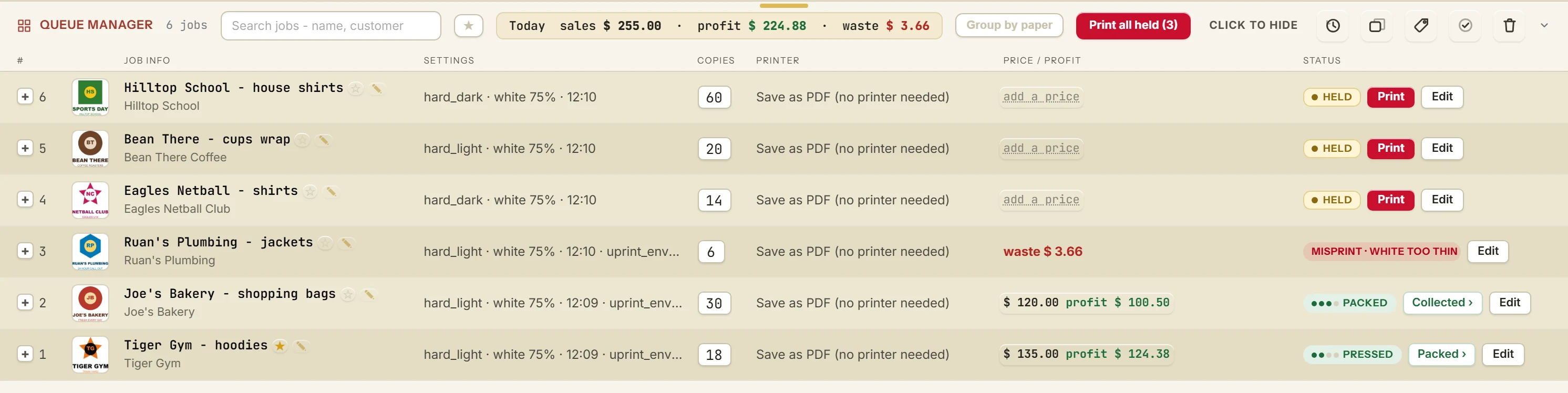
Every step, with pictures: Run your print shop from the Queue Manager.
On a DTF printer, every metre of film
Ink in ml, film in metres, powder in grams, and what each one cost.
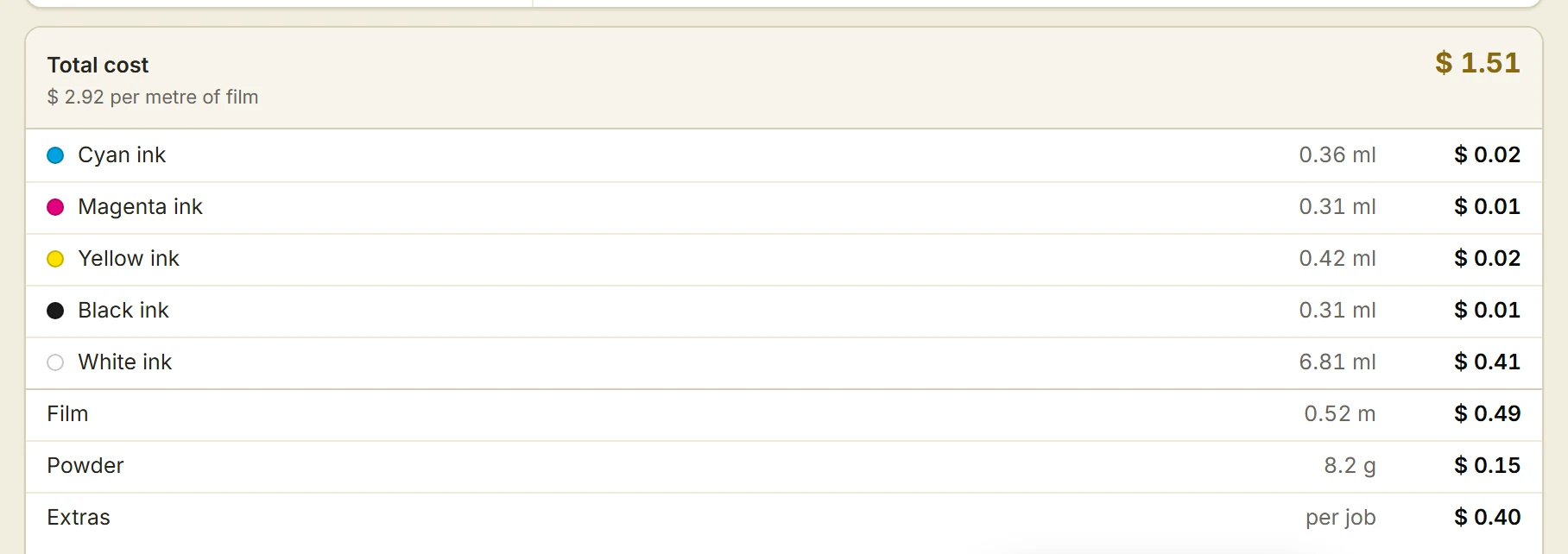
- 1In Cost settings, pick DTF roll and type what you pay: each ink bottle, the film roll, the powder bag.
- 2Type your money sign in the Currency box, and your price for one metre of film.
- 3Every DTF job then shows what it cost, what it sold for and what it made.
Every step, with pictures: Your full profit and loss DTF software.
Your numbers stay yours
Names, customers, prices and notes stay on your computer. They are not sent anywhere.
Studio RIP from $24.99R400 a month. Design RIP from $34.99R649 a month.
DTF in Design RIP from $40R670 a month. Studio DTF RIP from $25R420 a month.
All have your prices, profit on every job and Job history. Estimate cost before you print is a Design RIP add-on.
Try it on your own printer
7 day free trial, no card. Every tool, on your own computer. Download Studio RIP or Design RIP. Both have the Queue Manager, your prices and Job history.
Download the free trialOn day 8 the app locks until you buy. Pay with the same email and it unlocks by itself. One free trial per computer and per email.
Made by UPrint Global, trusted in 38 countries since 2008. Pictures and numbers come from an example shop made in the app, not a real one. Print straight from UPrint to your DTF, sublimation or white toner printer.