
Guide · UPrint Design RIP · DTF on a Mac
DTF RIP software on a Mac: what works today
Yes, a Mac can run your DTF work. UPrint Design RIP with DTF makes the job on the Mac. PrintExp prints it on the Windows PC that runs your printer.
Here is what works today, and what the PC still does.
The short answer
On the Mac, in UPrint Design RIP
- Design the transfer, or fix a customer's logo, on the design canvas.
- Lay out a page or a roll, and fill the roll.
- Set the white and the mirror.
- Save the finished job for the printer.
On the Windows PC, in PrintExp
- PrintExp prints the job, the same way it prints any job file.
UPrint does not replace PrintExp. It makes the job, and PrintExp prints it.
Why the printer side is a Windows PC
Roll DTF printers on a Hoson board are run by PrintExp, and PrintExp is Windows software. So every one of these printers already has a Windows PC beside it. On that PC, UPrint can send each job straight to PrintExp. On a Mac, UPrint saves the job for that PC.
What you do on the Mac
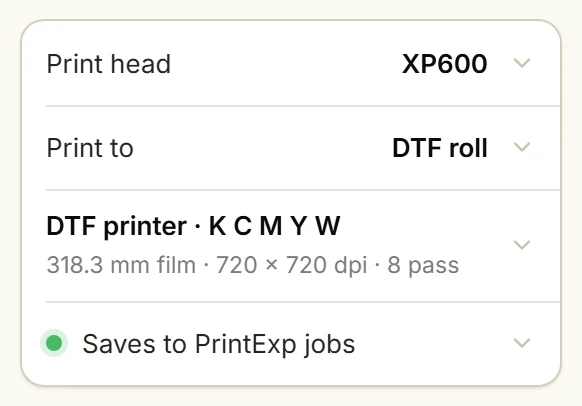
1Pick the DTF printer
Press Print on the left. In Print to, pick DTF roll.
The last row says where each job is saved, for example Saves to PrintExp jobs.
2Set the white
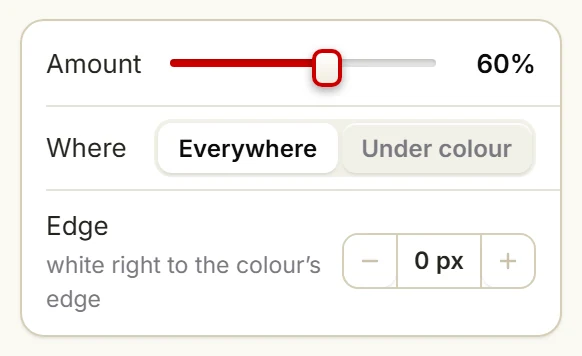
Amount sets how much white goes down. Where is Everywhere or Under colour.
Edge stops the white a few pixels inside the colour, so no white shows at the edge.
3Lay out the page or the roll
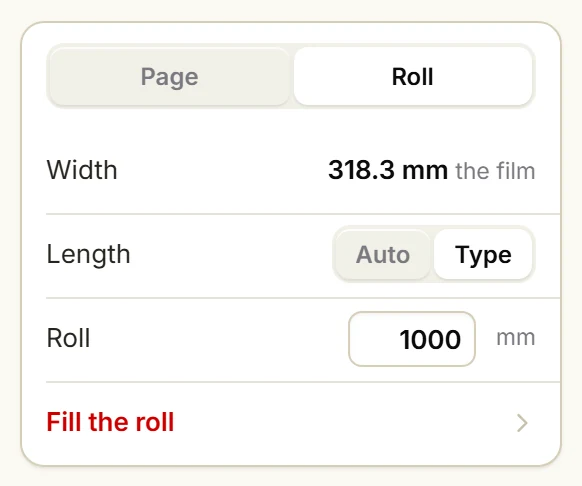
Under Sheet, pick Page or Roll. On a roll, type the length and press Fill the roll.
The full steps: Build a DTF gang sheet and fill the roll.
4Mirror on, then Print
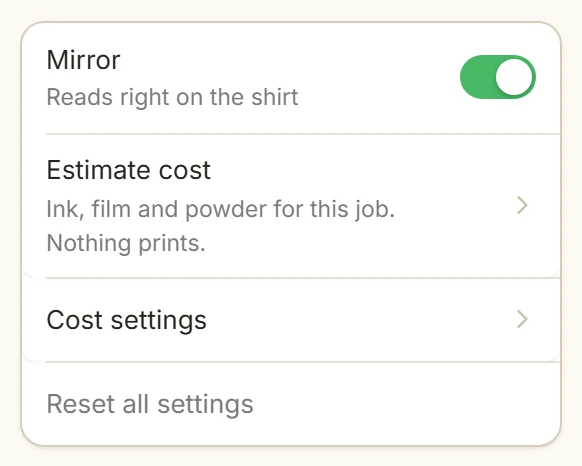
Leave Mirror on: the transfer reads right on the shirt.
Press Print. UPrint makes the job file and saves it.
A saved job can be a roll up to 10 m (32.8 ft) long. Longer rolls print while they are made, and that needs UPrint to send the job to PrintExp. On a Mac, UPrint saves the job.
Get the job to the PrintExp PC
Save the job where the Windows PC can open it: a folder the PC shares on your network, or a USB stick. Then print it from PrintExp, the same way you print a job file from the RIP you use now.
Job files are large. A wired network or a fast USB stick saves time.
Set up your printer from a Mac
UPrint learns your printer from one print of our test chart. On a Mac you give it the print as a file. The buttons below are the ones in the Mac app.
1Read your printer
In Set up this printer, step 1, press Save the test chart.
Print the chart at 100% from the RIP you use now, to a file (a .prn).
Copy that file to the Mac. Press Read the print… and pick it.
The app learns the ink order, the resolution and the passes.
2Copy your colour
In step 3, Colour, press Save the colour chart. Print it from your RIP with your normal colour settings, to a file.
Copy the file to the Mac. Press Copy my RIP’s colour… and pick it.
Have a colour profile made for this printer, ink and film? Press Add a profile… instead.
Every step with a picture, on Windows: Set up your DTF printer and copy your colour.
Which licence
DTF on a Mac is UPrint Design RIP with DTF: from $40 a month for printers up to 45 cm (17.7 in) wide, and $50 a month for wider ones, plus tax. See the prices.
The UPrint Studio DTF RIP needs Windows 10 or 11 for now. Design RIP for Mac needs a Mac with Apple silicon (M1 or newer) on macOS 12 or newer.
Which DTF printers it drives: the DTF printer list.
A desktop DTF printer?
An early version is coming, on Windows and Mac. Tell us your printer, and we will set it up with you.
Try it on your own printer
7 day free trial, no card. Every tool, on your own computer. Download Design RIP and pick DTF printer when it starts. Install it on the Windows PC that runs PrintExp, or on a Mac that saves the jobs for that PC.
Download the free trialOn day 8 the app locks until you buy. Pay with the same email and it unlocks by itself. One free trial per computer and per email.
More guides
- DTFSet up your DTF printer and copy your colourTeach the app your printer from one small print, then copy the colour of the RIP you use now.
- DTFHow to print DTF transfers, step by stepFrom artwork to a pressed shirt: the steps, and what the RIP does in each one.
- DTFBuild a DTF gang sheet and fill the rollLay out a page or a roll of film, and fill the roll with one button.
- DTFMoving from Maintop: bring your DTF settings to UPrintBring the printer settings and the colour you have in Maintop, from two prints.
- White tonerSet up the RIP for your OKI white toner printerPick your OKI model, set the white, see where it goes, fill a sheet and print.